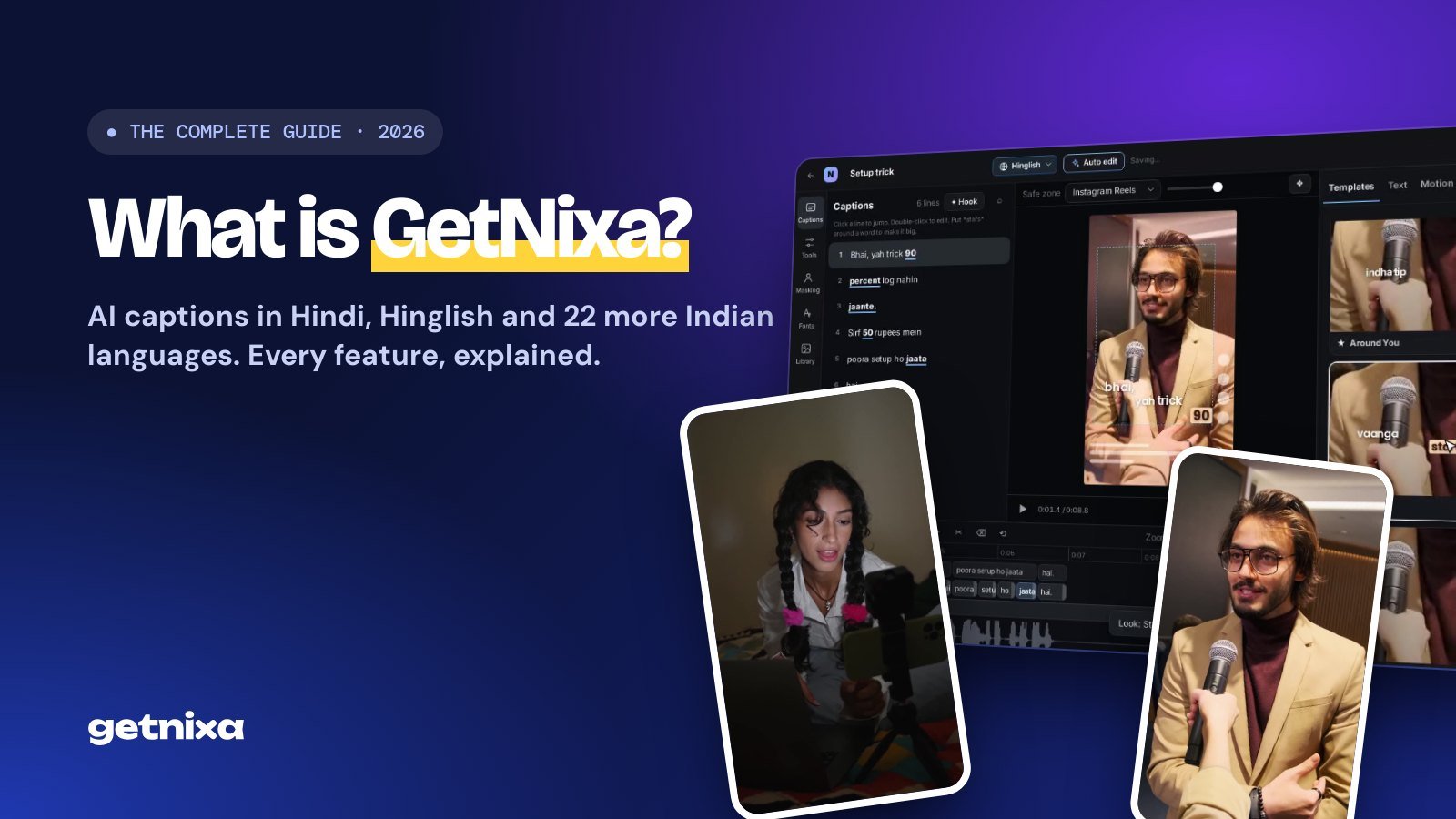
What is GetNixa? The Complete Guide to AI Captions for Indian Creators (2026)
GetNixa is an AI caption generator made for Indian creators. Here is what it is, how it works, every feature explained, pricing in rupees, and tips for captions that stop the scroll.

On this page
- What is an AI caption generator?
- Why captions matter for reels and Shorts
- Why Indian creators need a different caption tool
- What is GetNixa?
- How GetNixa works, in four steps
- Step 1: Drop your reel and get captions
- Step 2: Get your script, not a guess
- Step 3: Pick a look in one click
- Step 4: Let AI finish the edit
- GetNixa features, explained
- 24 Indian languages, plus Hinglish
- Translate to English captions
- Captions behind you
- Clean audio
- Safe zones for Instagram and YouTube
- Easy editing, word by word
- Export anywhere
- Web, Mac and Windows
- Who is GetNixa for?
- How to add captions to a reel with GetNixa
- GetNixa pricing, in rupees
- GetNixa vs typing captions yourself vs generic caption apps
- 7 tips for captions that stop the scroll
- Frequently asked questions
- Start captioning your reels today
Most reels in India are watched on mute, on a crowded train, in an office, late at night next to someone sleeping. If your words are not on the screen, your message is lost. That is why captions are no longer a nice extra for creators. They are part of the edit.
But captioning Indian reels has always been painful. You speak Hindi and English in the same sentence, switch scripts, and most caption tools either get the words wrong or print them in the wrong script. So you end up typing and timing everything by hand.
GetNixa was built to fix exactly that. This guide covers what an AI caption generator is, why Indian creators need a different kind of one, and a complete walkthrough of GetNixa: every feature, how to use it, what it costs, and tips to make your captions look like a professional editor made them.
In short: GetNixa is an AI caption generator made for Indian creators. Upload a reel, pick your language (Hindi, Hinglish, Tamil, Bengali and 20 more), and it writes every word, timed to your voice. Then it styles the captions like a pro editor, keeps them clear of the Instagram and YouTube buttons, and exports a video ready to post. You can start free, no card needed.
What is an AI caption generator?
An AI caption generator is a tool that listens to the speech in your video and turns it into on-screen text automatically. It does three jobs that used to take an editor hours:
- Transcription: it converts what you say into words, using speech recognition.
- Timing: it matches each word to the exact moment you say it, so captions appear in sync with your voice.
- Styling: it places the words on the video with fonts, colours and animation, so the captions look like part of the edit rather than plain subtitles.
Older subtitle tools stopped at the first step and gave you a plain text file. Modern AI caption tools for reels and YouTube Shorts do all three, so you can go from raw clip to finished video in one place.
Why captions matter for reels and Shorts
- People watch on mute. A huge share of short videos are watched without sound. Captions keep them watching.
- Captions hold attention. Words that pop on screen give the eye something to follow, which helps people stay till the end.
- They make you easier to understand. Accents, background noise and fast speech are easier to follow with text on screen.
- They reach more people. Captions help viewers who are deaf or hard of hearing, and an English translation lets people outside your language follow along.
- They help search. Instagram, YouTube and Google read on-screen text and subtitles to understand what your video is about.
Why Indian creators need a different caption tool
Most caption apps were trained and tested on English. Indian creators speak differently:
- We mix languages. “Bhai, yah trick 90 percent log nahin jaante” is one sentence in two languages. Generic tools often break on this.
- The script matters. Some creators want Hindi in Devanagari (हिन्दी). Most reels are written in Hinglish, Hindi in English letters. A tool that picks for you gets it wrong half the time.
- India has many languages. Tamil, Telugu, Bengali, Marathi, Gujarati, Punjabi, Kannada, Malayalam and more each have their own script and style.
- Pricing. Creators here want to pay in rupees, with GST included, at prices that make sense for India.
GetNixa was built and tested on Indian reels from day one, with all of this in mind.
What is GetNixa?
GetNixa is an AI caption and subtitle generator for Indian creators. It writes captions in 24 Indian languages, including Hinglish, styles them the way top creators do, and exports a video ready for Instagram Reels, YouTube Shorts, WhatsApp or anywhere else.
It runs in your browser at getnixa.io, with desktop apps for Mac and Windows. Your projects and plan follow your account, so you can start on one device and finish on another.
How GetNixa works, in four steps
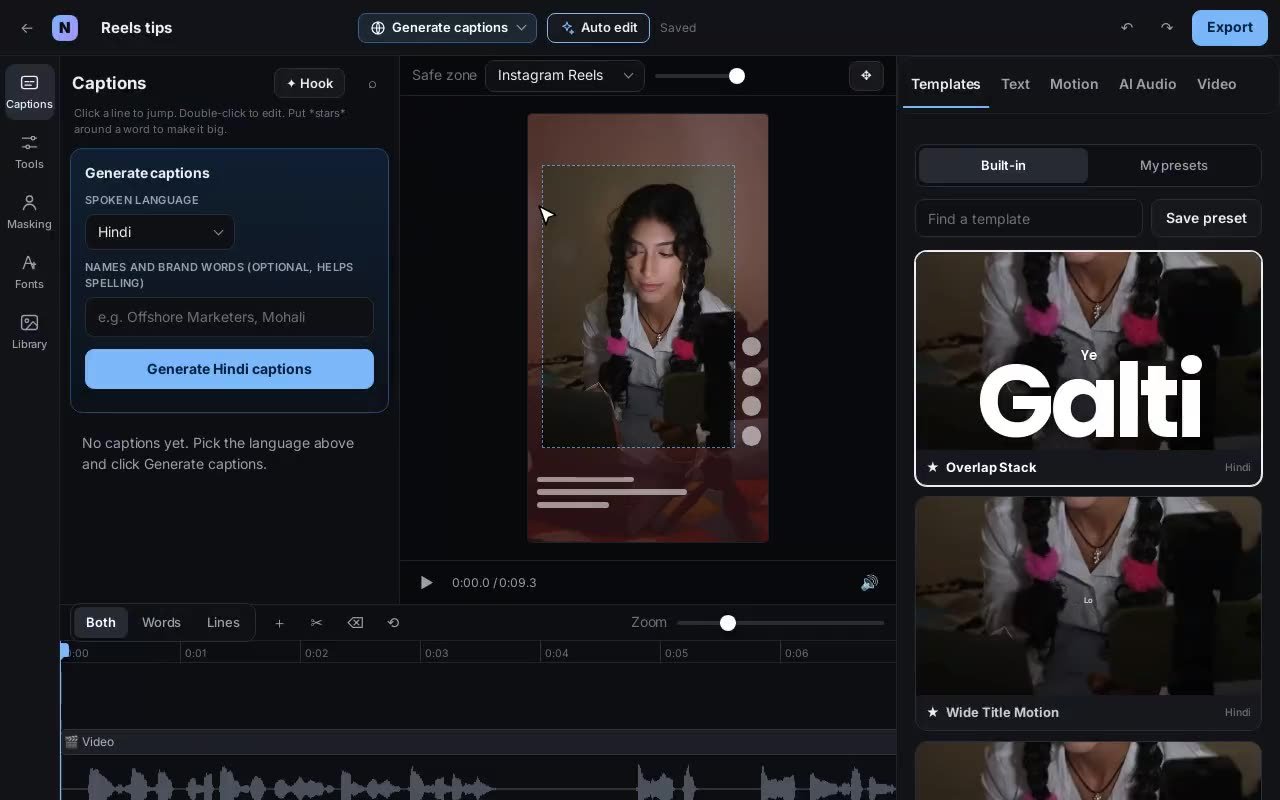
Here is the real GetNixa editor, recorded as it runs. No mock-ups.
Step 1: Drop your reel and get captions
Open GetNixa, drag your video onto the home screen, choose the language spoken in the video and click Generate. In a few seconds every word lands on the video, timed to your voice.
Step 2: Get your script, not a guess
Pick exactly how you want the words written. Hindi can come out in Devanagari, or as Hinglish in English letters. The same goes for other languages: you choose the script your audience reads.
Step 3: Pick a look in one click
Browse more than 100 caption templates: bold hooks, clean podcast subtitles, sticker styles, handwriting and more. Each one previews on your own video, so you see the result before you choose.
Step 4: Let AI finish the edit
Click Auto edit and GetNixa edits like a professional: it picks your hook, highlights punch words, adds emojis where they fit, keeps captions away from your face, and writes a title, post caption and hashtags. Everything stays editable, and Ctrl/Cmd + Z undoes it.
GetNixa features, explained
24 Indian languages, plus Hinglish
GetNixa supports Hindi, Hinglish, English, Urdu, Bengali, Marathi, Tamil, Telugu, Gujarati, Kannada, Malayalam, Punjabi, Odia, Assamese, Nepali, Sindhi, Sanskrit, Maithili, Konkani, Dogri, Bodo, Kashmiri, Manipuri and Santali.
| Language | Written as | Great for |
|---|---|---|
| Hindi | हिन्दी (Devanagari) | News, education, storytelling |
| Hinglish | Hindi in English letters | Most Instagram reels and Shorts |
| Tamil | தமிழ் | Tamil creators and regional brands |
| Telugu | తెలుగు | Telugu creators and film content |
| Bengali | বাংলা | Bengali creators, Kolkata audiences |
| Marathi | मराठी | Marathi creators, Mumbai and Pune audiences |
| Punjabi | ਪੰਜਾਬੀ | Music, comedy, lifestyle |
| Gujarati | ગુજરાતી | Business, food, family content |
| +16 more | Their own script | Regional reach across India |
Translate to English captions
Speak in any Indian language and add English captions, so people outside your language can follow. It is one of the easiest ways to grow beyond your home audience.
Captions behind you
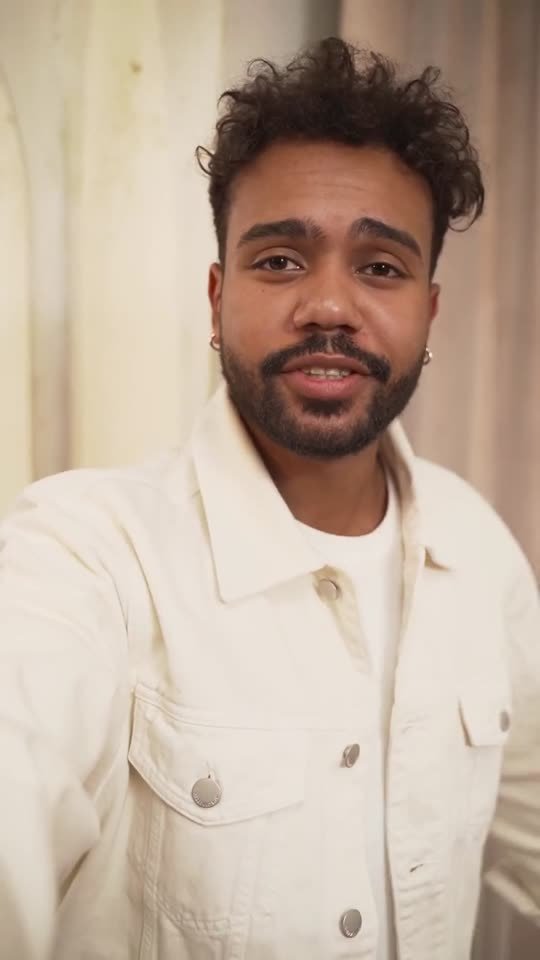
The effect you see on top reels, where a big word sits behind the creator’s head, used to take hours of masking in Premiere or After Effects. GetNixa finds you in every frame and places the word behind you in one click.

Clean audio
Recorded next to traffic, a fan or background music? Clean audio removes the noise so only your voice stays. Better audio also means more accurate captions.
Safe zones for Instagram and YouTube
Instagram and YouTube put buttons, your username and the post caption on top of your video. GetNixa shows these safe zones in the editor and keeps your captions clear of them, so nothing gets covered.
Easy editing, word by word
- Fix a word: double-click any line in the Captions list and type.
- Make a word big: put *stars* around it, and it becomes a punch word.
- Hook: the Hook button turns your opening line into a big attention-grabbing title.
- Timeline: switch between Both, Words and Lines to adjust timing exactly.
- Style everything: change fonts, colours, position and animation, or upload your own fonts on paid plans.
Export anywhere
| Export | What you get | Use it for |
|---|---|---|
| MP4 | Your video with captions burned in, up to 4K | Instagram Reels, YouTube Shorts, WhatsApp, Facebook |
| Transparent .mov | Captions only, on a see-through background | Placing on top in Premiere Pro, Final Cut or DaVinci Resolve |
| Green or blue screen | Captions on a flat colour | Editors that key out a colour |
| SRT / VTT | A plain subtitle file | YouTube subtitles and video players |
Web, Mac and Windows
Use GetNixa in the browser, or install the desktop app for Mac or Windows. Uploads resume on their own if your internet drops, even after you close the app.
Who is GetNixa for?
- Instagram and YouTube creators who post reels and Shorts every week and want them to look premium.
- Video editors who caption client videos and want to save hours on typing and timing.
- Coaches, teachers and educators who explain things on camera in Hindi or regional languages.
- Podcasters turning long episodes into short clips with clean subtitles.
- Brands and agencies making regional content across India, with team seats on the Studio plan.
How to add captions to a reel with GetNixa
- Go to getnixa.io and sign in with your email. No card needed.
- Drag your reel onto the home screen, or click to upload.
- Pick the language you speak in the video and the script you want, then click Generate.
- Read through the captions and fix any word by double-clicking it.
- Choose a template, or click Auto edit to let AI style it.
- Check the safe zone for Instagram Reels or YouTube Shorts.
- Click Export and download your MP4, or an SRT for YouTube.
GetNixa pricing, in rupees
Prices include GST and you can cancel any time. Pay yearly and you get 2 months free.
| Plan | Price | Captions per month | Best for |
|---|---|---|---|
| Free | ₹0 | 30 minutes, videos up to 2 min | Trying everything on short reels |
| Creator | ₹399 / month | 3 hours, videos up to 5 min | Creators posting every week |
| Pro | ₹799 / month | 8 hours, videos up to 15 min, 4K | Full-time creators and editors |
| Studio | ₹1,999 / month | 20 hours, videos up to 30 min, 3 seats | Agencies and teams |
See the full comparison on the pricing page.
GetNixa vs typing captions yourself vs generic caption apps
| Typing it yourself | Generic caption apps | GetNixa | |
|---|---|---|---|
| Time per reel | 30 to 60 minutes | A few minutes, then fixing | Under a minute |
| Hindi and Hinglish | Only as good as your typing | Often the wrong script | Written the way you speak |
| Captions behind you | Hours of masking | Rare, or costs extra | One click |
| Hook, title, hashtags | All on you | Manual | Written by AI, editable |
| Pricing | Your time | Often in dollars | From ₹0, in rupees |
7 tips for captions that stop the scroll
- Hook in the first second. Put your strongest line big and early. The Hook button does this for you.
- Keep lines short. Two to five words per line reads fastest on a phone.
- Highlight one word per line. Numbers, prices and the key idea deserve the emphasis.
- Use one accent colour. Too many colours look messy. One colour for punch words looks premium.
- Match the script to your audience. Hinglish for most Instagram audiences, Devanagari for serious or news content.
- Stay inside the safe zone. Never let the like button or your caption cover your words.
- Always proofread names. AI is fast, but take ten seconds to check names and brand words.
Frequently asked questions
Is GetNixa free?
Yes. The Free plan gives you 30 minutes of captions every month, with no card needed. Upgrade only when you are posting more.
Which languages does GetNixa support?
Hindi, Hinglish, English, Urdu, Bengali, Marathi, Tamil, Telugu, Gujarati, Kannada, Malayalam, Punjabi, Odia, Assamese, Nepali, Sindhi, Sanskrit, Maithili, Konkani, Dogri, Bodo, Kashmiri, Manipuri and Santali. You can also translate any of them to English captions.
Can GetNixa write Hindi captions in Hindi script?
Yes. You choose: Hindi in Devanagari, or Hinglish in English letters.
Does GetNixa work for Instagram Reels and YouTube Shorts?
Yes. It is made for vertical video, shows the Instagram and YouTube safe zones, and exports MP4 ready to post.
Can I use GetNixa captions in Premiere Pro?
Yes. Pro and Studio plans export a transparent .mov with captions only, which you can place on top in Premiere Pro, Final Cut or DaVinci Resolve. Every plan exports SRT.
What does AI Auto edit do?
It reads your whole video, picks the hook, highlights punch words, adds emojis where they fit, keeps captions off your face and writes a title, post caption and hashtags. Everything stays editable.
Is my video private?
Yes. Your videos are stored in your private storage and only you can see them. You can delete any project, or your whole account, whenever you want.
Start captioning your reels today
Captions are the fastest way to make your reels easier to watch, easier to follow and more professional. GetNixa does the typing, the timing and the styling, in the language your audience actually speaks, so you can spend your time on the next video.

Written by
getnixa
Part of the GetNixa team, helping Indian creators make reels that look premium.