Hinglish Captions: How to Write Hindi in English Letters for Reels
Hinglish captions made simple: when to use them over Hindi or English, spelling rules that read fast, and three ways to add them to Reels and Shorts.

On this page
- What are Hinglish captions?
- Hinglish vs Hindi vs English captions: which should you use?
- How to write Hinglish captions that read easily
- Seven spelling rules for clean Hinglish
- A simple house style you can copy
- How do I add Hinglish captions to Reels?
- Option 1: Type them by hand
- Option 2: Transcribe in Hindi, then convert
- Option 3: Use a tool that outputs Hinglish directly
- Why do auto captions get Hinglish wrong?
- Styling tips for Reels and Shorts
- Common Hinglish mistakes and fixes
- Making Hinglish captions in GetNixa
- Hinglish caption checklist
- Frequently asked questions
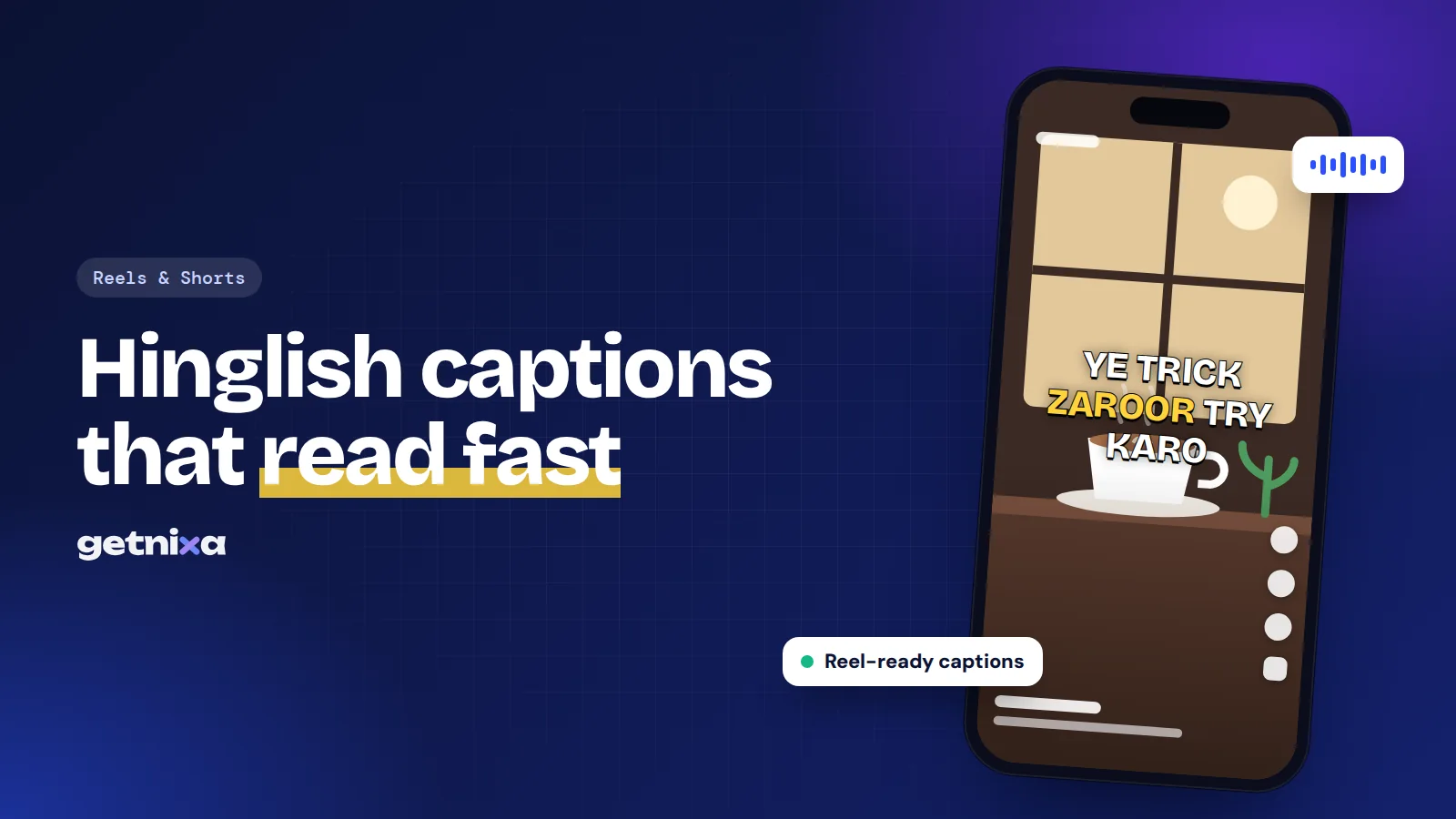
Hinglish captions write Hindi speech in English letters, like “Ye trick try karo” instead of “ये ट्रिक ट्राई करो”. Most Indian creators talk this way on camera, and most of their viewers read this way on WhatsApp every day.
This guide explains when Hinglish beats Hindi script or English, how to spell it so it reads easily, and how to caption Reels and Shorts in Hinglish without hours of typing.
Quick answer: Hinglish captions show Hindi or mixed Hindi-English speech in the Roman alphabet. To make them, run your video through a caption tool that outputs Hinglish, or type them yourself. Keep English words in English, pick one spelling for common words like “nahi” and “bahut”, and use short lines.
What are Hinglish captions?
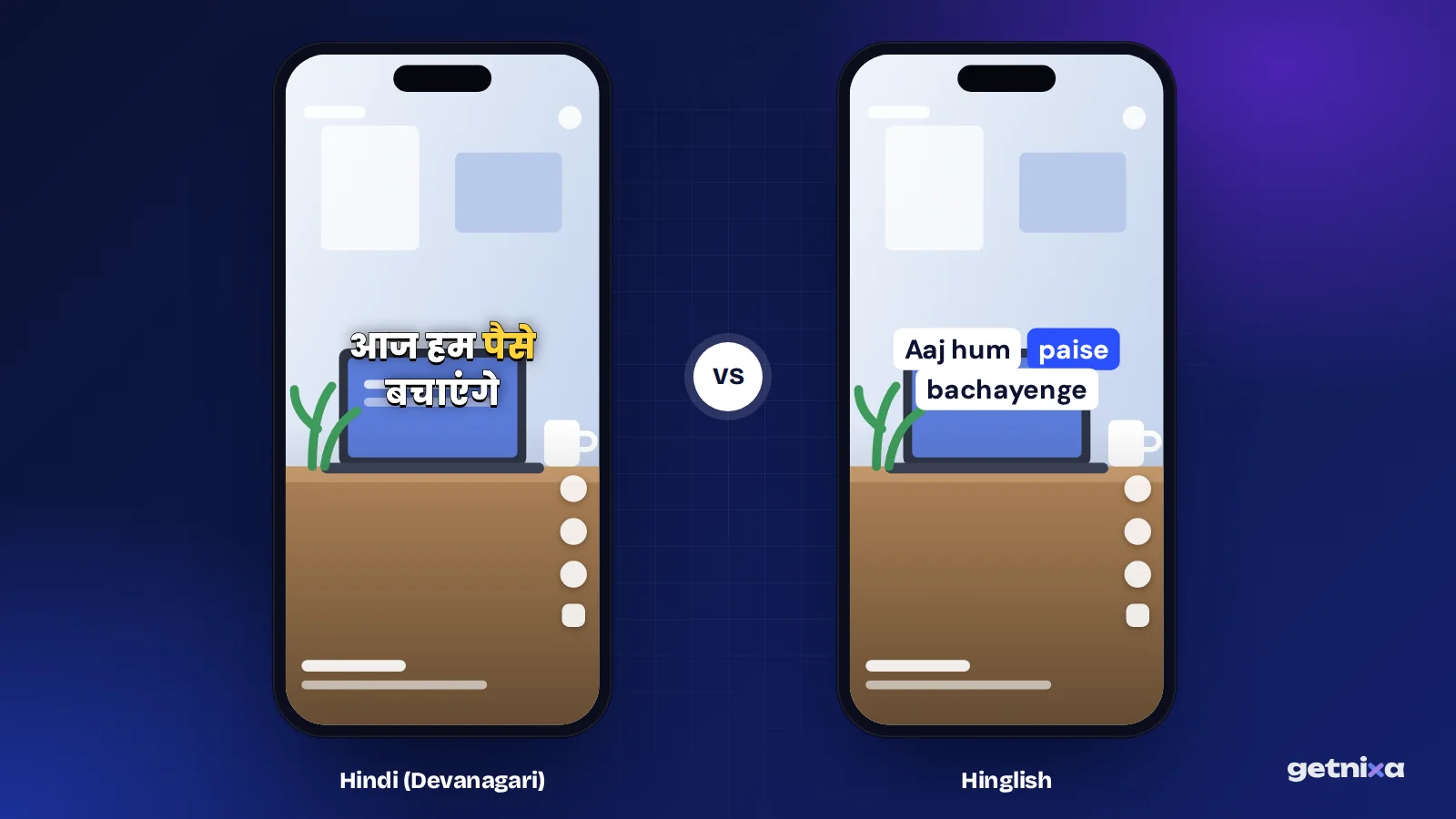
Hinglish is the everyday mix of Hindi and English that many Indians speak. A Hinglish caption is on-screen text that writes this speech in English (Roman) letters, timed to the voice. Writing one script in the letters of another is called transliteration.
So the same spoken line can appear three ways:
- Hindi script (Devanagari): “आज हम पैसे बचाने का तरीका सीखेंगे”
- Hinglish (Roman letters): “Aaj hum paise bachane ka tareeka seekhenge”
- English translation: “Today we’ll learn a way to save money”
Hinglish keeps your exact words and tone. Translation changes them, and Devanagari asks viewers to read a script some are slower at on a small screen.
Hinglish vs Hindi vs English captions: which should you use?
| Caption type | Reads best for | Watch out for |
|---|---|---|
| Hinglish | Young urban viewers, mixed-language talkers, comedy and lifestyle Reels | Spelling can vary, so you need a house style |
| Hindi (Devanagari) | Hindi-first audiences, news, devotional, education for Hindi-medium students | Needs a Devanagari font; wider text per line |
| English | Viewers outside India and non-Hindi speakers | Loses slang and wordplay in translation |
Use Hinglish if you already speak a mix of Hindi and English and your comments come in Roman letters. Use Devanagari if your audience writes back in Hindi script or you make formal Hindi content. Use English if you want reach beyond Hindi speakers. Your comment section is the quickest guide: copy the script your viewers already use.
For more on the Hindi script side, see our guide on why Hinglish breaks most speech-to-text tools.
How to write Hinglish captions that read easily
Hinglish has no official spelling. “Hai” may appear as “hai”, “h” or “he”, and “nahi” as “nahin” or “nhi”. That freedom is fine in chats, but in captions it slows the reader. So set a few rules and stick to them.
Seven spelling rules for clean Hinglish
- Keep English words in English. Write “phone”, “budget” and “skincare” as normal English, never as “fon” or “bajat”.
- Use full forms, not chat short forms. Write “hai” and “nahi”, not “h” and “nhi”. Short forms look rushed on a video.
- Double vowels for long sounds. Use “aa” and “ee” where the sound is long: “aaj”, “seekho”, “theek”. It helps people say the word right.
- Pick one spelling per word. Choose “bahut” or “bohot”, then use it in every video.
- Separate words properly. Write “kar raha hoon”, not “karrahahoon”.
- Keep names and brands exact. Spell product names, places and people the way they spell themselves.
- Write numbers as digits. “5 minute mein” is faster to read than “paanch minute mein”.
A simple house style you can copy
| Avoid | Use | Why |
|---|---|---|
| h, he | hai | Clear and common |
| nhi, nai | nahi | Full form reads faster |
| kya h | kya hai | No chat shorthand |
| mai (for “in”) | mein | Avoids confusion with “main” (I) |
| bht, bohut | bahut | One spelling, every time |
Tip: Save your house style as a note on your phone. When a tool spells a word differently, fix it to match, and your captions will look consistent across every Reel.
How do I add Hinglish captions to Reels?
You have three practical options. The right one depends on how often you post and how long your videos are.
Option 1: Type them by hand
Any phone keyboard can type Hinglish, because it is just English letters. In the Instagram editor, use the Aa text tool, type each line, and set how long it stays on screen. This works for a 10 to 15 second Reel with a few lines. For anything longer, it gets slow and timing drifts. Our guide to adding captions to Instagram Reels covers the editor steps.
Option 2: Transcribe in Hindi, then convert
Some creators get a Hindi transcript first, then convert it to Roman letters. Typing works in the other direction too. Google’s keyboard has supported typing Hindi phonetically in English letters and getting Devanagari since its 2017 Gboard update for Indian languages, and it also lists a Hinglish option. That helps when you write captions by hand, but you still have to time every line yourself.
The bigger problem is that automatic conversion from Devanagari often keeps English words in Hindi spelling, so “फोन” becomes “phon”. You end up fixing many words.
Option 3: Use a tool that outputs Hinglish directly
The fastest route is a caption tool that listens to the speech and writes Hinglish straight away, with timing done for you. Then you only fix the odd word, pick a style and export.
Why do auto captions get Hinglish wrong?
Understanding the cause helps you fix errors faster. There are three common reasons.
- Language switching. In “Ye wala serum best hai for oily skin”, the speaker changes language twice. A tool set to one language may drop or mangle the other.
- Script mix-ups. A Hindi speech model usually writes in Devanagari, so English words come out in Hindi script, or the reverse happens.
- Spelling variety. Even a good result may spell “bahut” three ways in one video, because there is no single correct form.
Clear audio helps with all three. Record close to the phone, keep music low under your voice, and avoid talking over others.
Styling tips for Reels and Shorts
- Short lines. Aim for 3 to 5 words per line. Hinglish words are often longer than English ones.
- One punch word. Highlight the key word in colour, such as the price, the result or the twist.
- Bold, clear fonts. Thick sans-serif fonts work best on phones. See our list of the best fonts for Reels captions.
- Safe placement. Keep text in the middle of the screen, away from the buttons on the right and the caption area at the bottom.
- Emojis with purpose. One emoji that matches the meaning adds feeling. Five in a line add clutter.
Common Hinglish mistakes and fixes
- Mixing scripts in one video. Switching between Devanagari and Roman letters mid-Reel confuses readers. Pick one.
- Chat spellings. “h”, “nhi” and “kr” look careless on screen. Use full forms.
- Translating instead of transliterating. If you say “kamaal ka”, don’t write “amazing”. Keep your own words.
- Lines too long. A full sentence across the screen is hard to read in two seconds. Break it up.
- Not checking names. Auto tools often misspell brand and place names. Read every line once.
- Captioning before the final cut. Trimming later throws the timing off. Caption last.
Making Hinglish captions in GetNixa
GetNixa is one tool that writes Hinglish directly. It treats Hinglish as its own language option, and Hindi can also come out in Devanagari if you prefer.
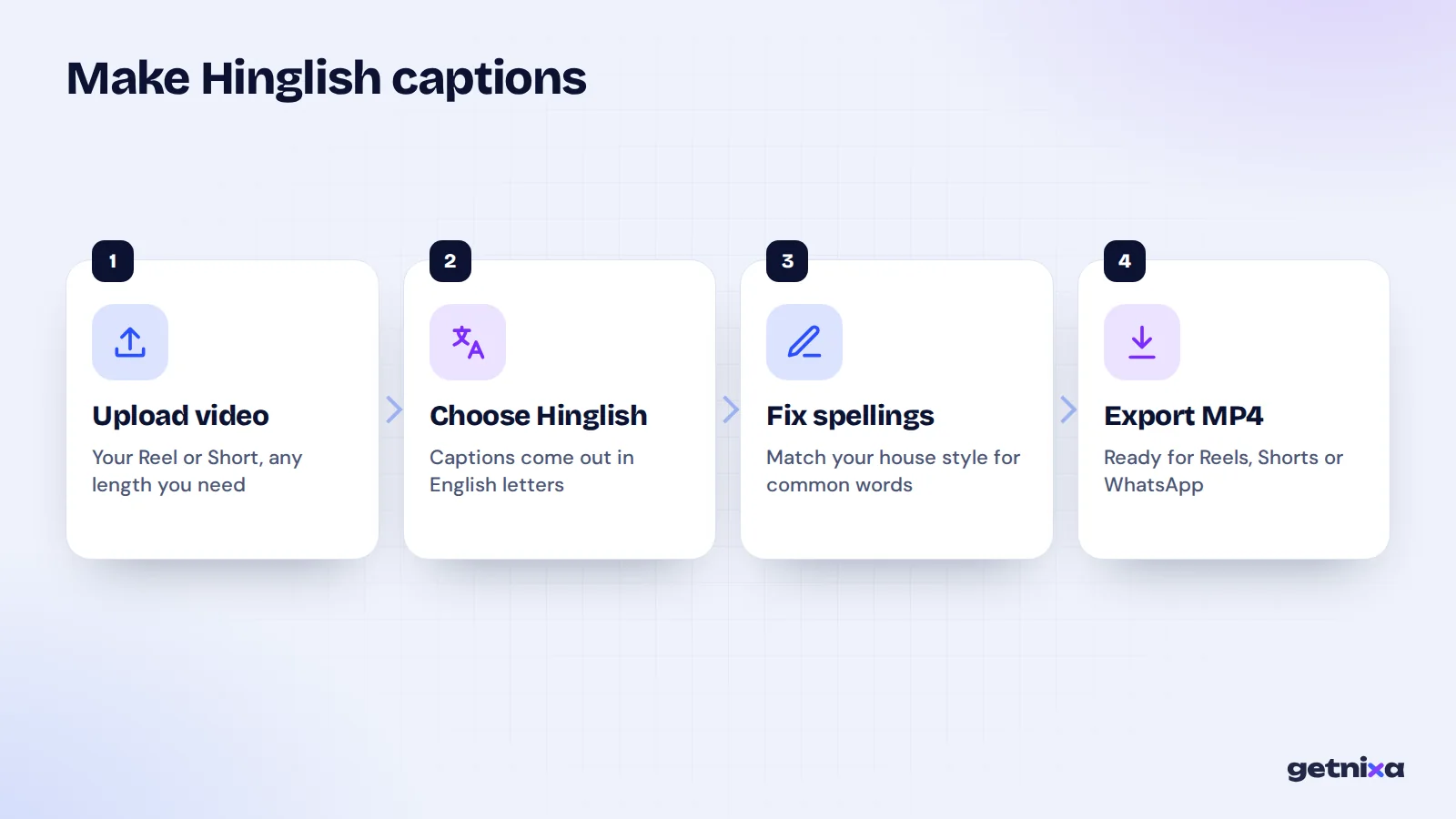
- Upload your video. Open the Hinglish caption generator in your browser or the desktop app.
- Pick Hinglish as the language. The AI writes the captions in English letters and times them to your voice.
- Fix spellings to your house style. Click or double-click any word to change it.
- Style it. Pick a template and change the font, colours, position and animation.
- Export. Download an MP4 for Instagram, YouTube Shorts or WhatsApp, or an SRT file.
If you only need text, the Hinglish speech to text page gives you a transcript. For Devanagari captions, use the Hindi caption generator instead. The Free plan includes 30 caption minutes a month for videos up to 2 minutes, with no watermark.

Hinglish caption checklist
- One script for the whole video.
- English words kept in English.
- Full forms: hai, nahi, kya hai.
- One spelling per word, from your house style.
- 3 to 5 words per line, one highlighted word.
- Names, prices and brands checked.
Get Hinglish captions in English letters, timed to your voice. Upload a Reel, fix any word to match your style, and export without a watermark.
Frequently asked questions
What is the difference between Hinglish and Hindi captions?
Hindi captions are written in Devanagari script, like “आप कैसे हैं”. Hinglish captions write the same speech in English letters, like “Aap kaise hain”, and keep English words as they are. Both carry the same words. The choice depends on which script your audience reads faster on a phone.
Is there a correct spelling for Hinglish words?
No, Hinglish has no official spelling, so people write the same word in different ways. That is why a house style helps. Pick one spelling for common words like “hai”, “nahi” and “bahut”, use full forms instead of chat short forms, and keep it the same in every video you post.
Can I turn Hindi captions into Hinglish?
Yes, but automatic conversion from Devanagari often spells English words the Hindi way, so “फोन” may become “phon”. You will need to fix those by hand. It is usually quicker to generate Hinglish directly from the speech with a tool that offers Hinglish as an output.
Are Hinglish captions good for reach on Instagram?
Captions help people follow your Reel with the sound off, which can keep them watching longer. Hinglish helps when your viewers read Roman letters more easily than Devanagari. No caption style guarantees reach, but captions your audience can read quickly give the Reel a fairer chance.
Can I add Hinglish captions to YouTube videos?
Yes. For Shorts, burn the Hinglish captions into the video before you upload. For long videos, export an SRT file with Hinglish text and upload it in YouTube Studio under Subtitles. Save the file as UTF-8 so any special characters display correctly.

Written by
GetNixa Team
The team behind GetNixa, the AI caption app for Indian creators. We write practical guides on captions, editing and growing on Instagram and YouTube.