
Hinglish caption generator for Reels and Shorts
Upload your video. GetNixa writes what you say in English letters, the way you'd type it on Instagram, and times every word to your voice. Fix any word, pick a style, post.
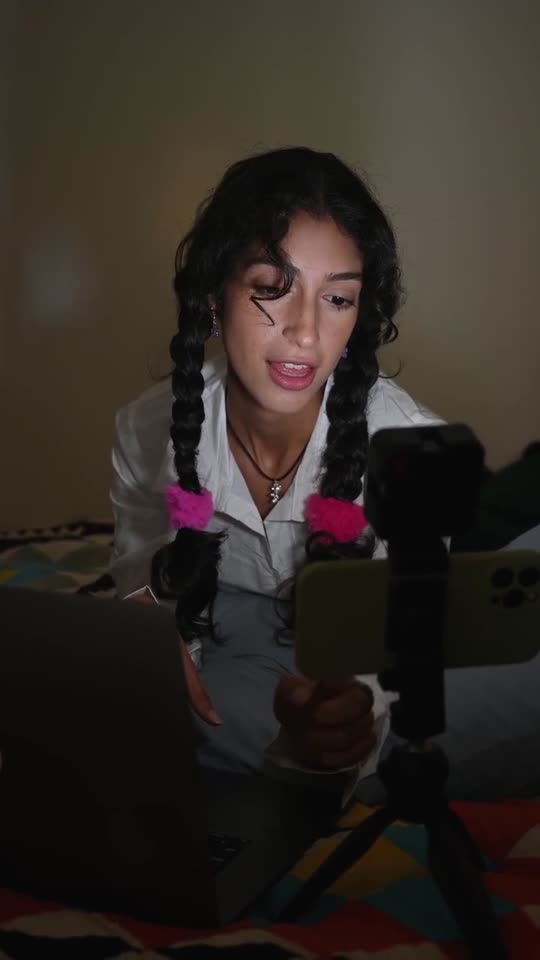
What is a Hinglish caption generator?
It listens to a video where you mix Hindi and English and writes every word in English letters, the way people type Hinglish on Instagram and WhatsApp. GetNixa times each word to your voice so the captions pop in as you speak.
Updated 22 Oct 2026 · Written by the GetNixa team at Offshore Marketers, Mohali, India
- Price
- Free plan: 30 minutes a month, no card
- Languages
- 24 Indian languages, English, Arabic, Spanish, Portuguese
- Exports
- MP4 and SRT on every plan; transcript from Creator; transparent .mov from Pro
- Longest video
- 2 minutes free, up to 30 minutes on Studio
- Works on
- Web browser, Mac and Windows
What happens after you drop a video
This is the real GetNixa editor, recorded as it runs. Click a step to jump to it.
Most caption apps get Hinglish wrong
They switch to Devanagari halfway, translate your words, or turn English words into Hindi script. GetNixa keeps it the way you said it.
See it in action
Pick a caption style and watch the words appear on the reel, drawn exactly the way the editor draws them.

Caption style
In the editor you change everything: size, position, every colour and font, and you can save your own look as a preset.
Same reel, a different look every time
Examples made with our templates. Each one is a single click in the editor.
Three ways to caption a Hinglish reel
Only one writes it the way you actually speak.
Typing it yourself
- 30 to 60 minutes a reelTyping, timing every word, fixing
- Hinglish spellingAs good as your typing, every single time
- Captions behind youHours of masking
- Hook, title, hashtagsAll on you
GetNixa
- Under a minute a reelUpload, pick Hinglish, export
- Hinglish in English lettersWord by word, the way you'd type it
- English words stay English"price", "trick", "views" stay as they are
- Behind you in one clickFinds you in every frame
- From ₹0, billed in rupeesGST included
Generic caption apps
- Switch to DevanagariOr translate your Hindi into English
- English words in Hindi script"प्राइस" instead of "price"
- Timing, then fixingWords need cleaning up
- No Hinglish stylesLooks made for English reels
Every caption, styled your way
Start from a template, then change anything. Try it on the phone below.

- 100+ templates, searchableFind a look by name or mood, heart your favourites and save your own presets.
- Every colour, font and effectChange the text, highlight, outline, shadow and box colours of any template.
- Upload your own fontsAdd your brand's whole font family, Regular to Bold Italic. It's saved to your account.
- Words behind youPut a line behind your head in one click. GetNixa finds you in every frame.
- Zooms, emojis and stickersPunch-in zooms, emojis on the right words, stickers and sound effects.
Everything a premium reel needs
Captions behind you
The big word sits behind your head. GetNixa finds you in every frame.
Clean audio
Removes traffic, fans and background music. Only your voice stays.
Translate to English
Speak in any Indian language, add English captions for a wider audience.
Safe zones built in
Captions stay clear of the Instagram and YouTube buttons.
Export anywhere
MP4 up to 4K, transparent .mov for Premiere, SRT for YouTube.
Web, Mac and Windows
Use it in your browser or download the desktop app. Projects and plan follow your account.
Speak Hindi, get text
Press the mic, speak, and the words appear below. Copy them and go. No sign-up.
Uses your browser's built-in speech recognition, so you need to allow the microphone. GetNixa doesn't save what you say. Have a video instead? Upload it free and get timed text and captions.
Wherever you post Hinglish videos
Need Hindi in Devanagari? Use the Hindi caption generator. GetNixa does 24 Indian languages and can translate any of them to English.
30 minutes of captions every month on the Free plan. No card needed.
Tips for better Hinglish captions
- Spell it your way onceHinglish has no fixed spelling. Fix a word like "hai" or "he" once and keep your style consistent.
- Keep English words EnglishWords like "price" and "views" stay in English, which is how your audience reads them.
- Switch to Devanagari any timeRun Hindi on the same video if a post needs Devanagari instead.
Hinglish captions: common questions
What is a Hinglish caption generator?
It listens to a video where you mix Hindi and English and writes every word in English letters, the way people type Hinglish on Instagram and WhatsApp. GetNixa times each word to your voice so the captions pop in as you speak.
Is the Hinglish caption generator free?
Yes. The Free plan gives you 30 minutes of captions every month with no card needed. Paid plans add more minutes, longer videos and every template.
Can I get Hindi in Devanagari instead?
Yes. Pick Hindi to get captions in Devanagari, or Hinglish to get them in English letters. You can switch and run it again on the same video.
What if a word is spelled the way I don't write it?
Double-click any word to fix it. You can also add names and brand words before you start so they come out spelled your way.
Can I download Hinglish subtitles as an SRT file?
Yes. Every plan exports SRT for YouTube, Premiere Pro, Final Cut or DaVinci Resolve, along with the captioned MP4.
More caption and subtitle tools
Your next reel, with Hinglish captions people stop for.
Free to start. First captions in under a minute.